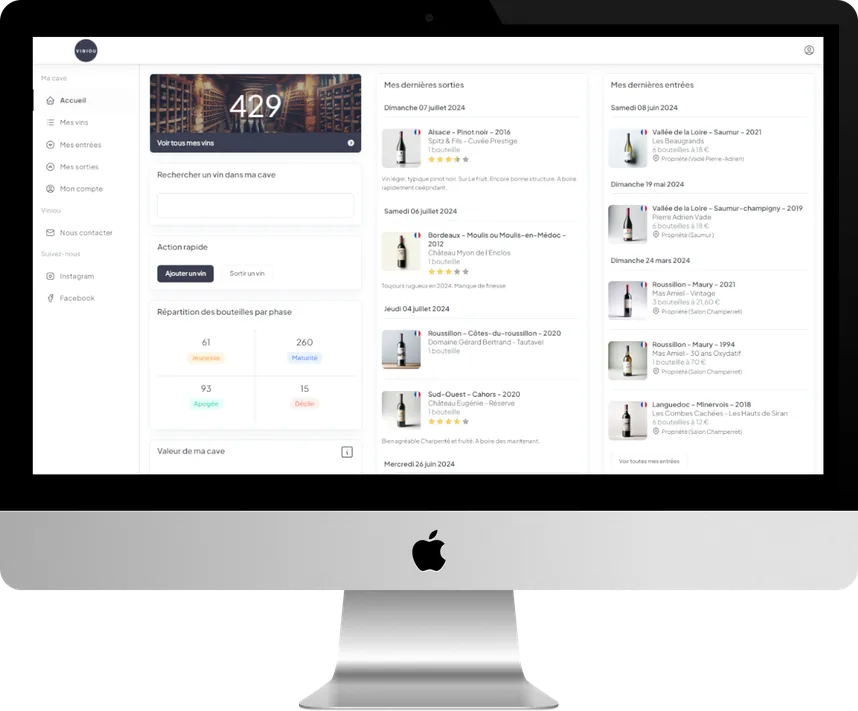
Find a bottle in a flash
Scan the bottle and, hey presto: rate your tasting, add a comment, see where you bought it and access all its information.

Photograph your labels: finally know what you have in your cellar and when to open each bottle.
Free to manage your wine cellar, Premium to learn more
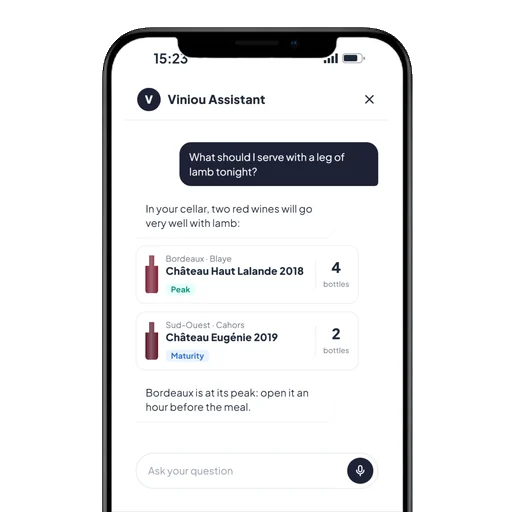
A personal sommelier, 24/7
5,460 reviews collected
Testimonials
“It helps me avoid having wines "forgotten" at the back of the cellar, which would lose quality. It is also very useful for pairing wines with a good meal.”
“A very good, simple app with real usefulness, such as knowing when a wine reaches its peak...”
“The AI easily recognises the bottles and the interface is easy to read!”
“Very easy to use and very practical when you have a wine cellar”
How it works
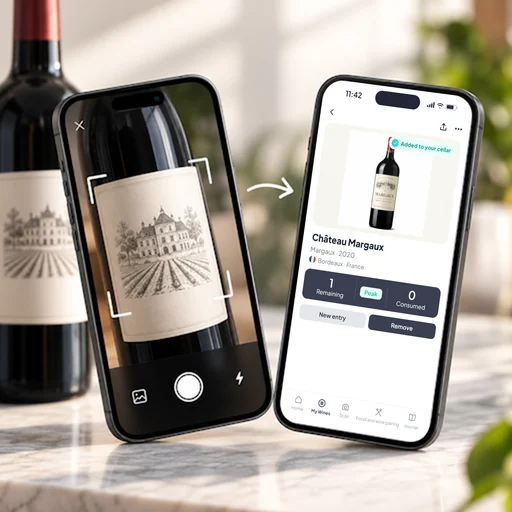
Scan the label, Viniou recognises the bottle instantly.
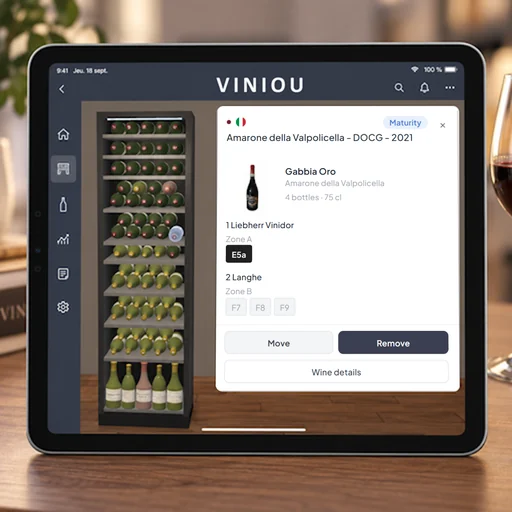
Stock movements and your wine cellar recreated in 3D: see at a glance where every bottle is stored.
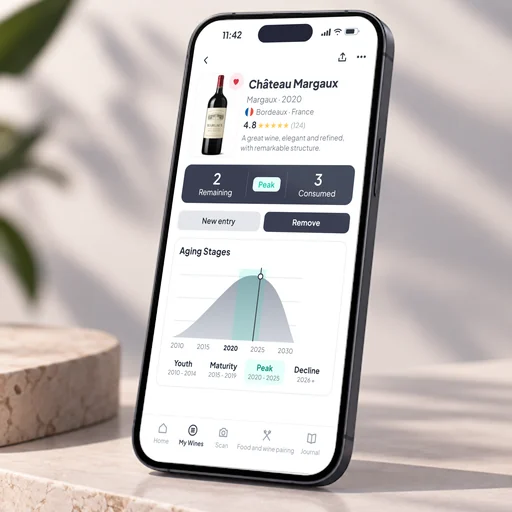
Your wines sorted by stage so you can open them at the right time.
Scan the bottle and, hey presto: rate your tasting, add a comment, see where you bought it and access all its information.
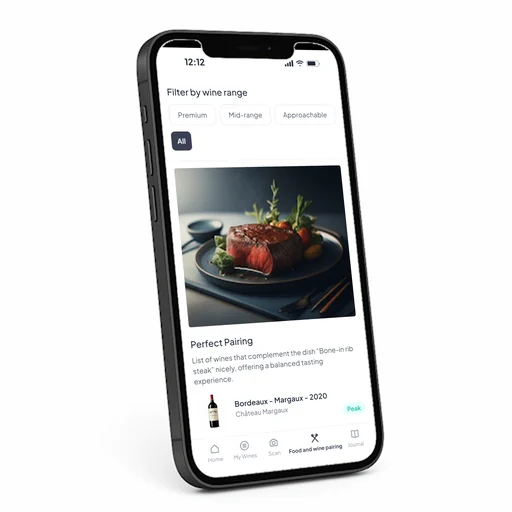
Personalised food & wine pairings for every meal.
Record your tastings and track the evolution of your wines.

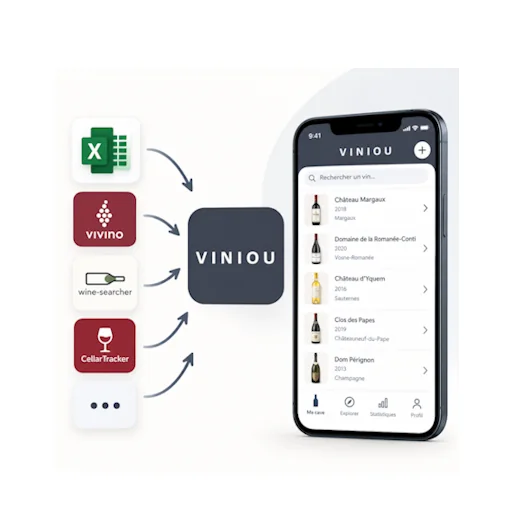
Import your bottles from Excel without re-entering anything.
Download the app
Available on the App Store and Google Play
FAQs
Yes. Creating your account and managing your wine cellar is free, for life. The optional Premium subscription automatically enhances your wines (market prices, ageing stages, oenological reviews, etc.) from £3.75 per month.
On iPhone, Android and computer, straight from your browser. Your wine cellar is the same everywhere: a bottle added on your phone appears instantly on your computer.
The quickest way: take a photo of the label and Viniou will recognise the wine. You can also fill in a form or import an entire list at once from an Excel file.
Yes. Export your wines from your previous app or spreadsheet, then import the file into Viniou. Once you have signed up, the Viniou team can also help you import your wines from an Excel file.
This is the period when a wine is at its very best. With Premium, Viniou calculates the ageing phases of each of your wines (youth, maturity, peak) and tells you which ones to open first.
Yes. Your data is hosted in Europe, is neither sold nor shared, and you can export it to Excel or PDF, or delete your account, at any time.
Try
Try the app by signing up on the website for free. Once registered, Viniou will be happy to help you import your wines from an Excel file.