

- 4.8 Store rating
- 250,000 Users
Scan a wine label, and Viniou will recognise it
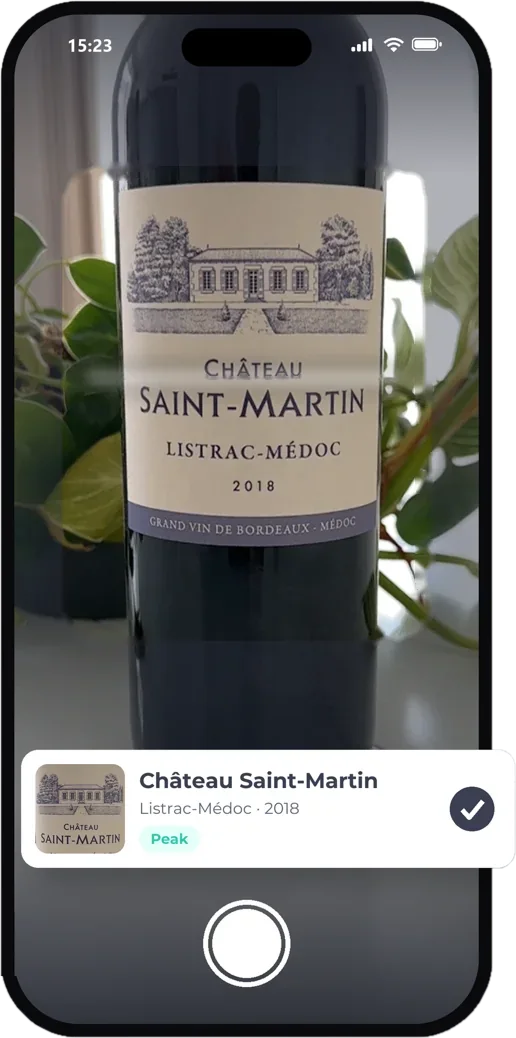
One photo is all it takes: Viniou reads the label, finds the wine in its database and adds it to your cellar with all its information.
Free
One photo, and it’s in your wine cellar
Label recognition at the heart of Viniou
Retyping the name of a château, the appellation and the vintage on a small screen takes time. With Viniou, you take a photo of the label: the app recognises it and finds the wine in its database, along with its appellation, region, colour and grape varieties.
Scanning is also useful outside the cellar: at a restaurant, at friends’ homes or at a wine merchant’s, photograph a label to find the wine, record your tasting notes or add it to your cellar. The label photo is kept on the wine’s record.
How it works
From scan to wine details
-
1
Open the scanner
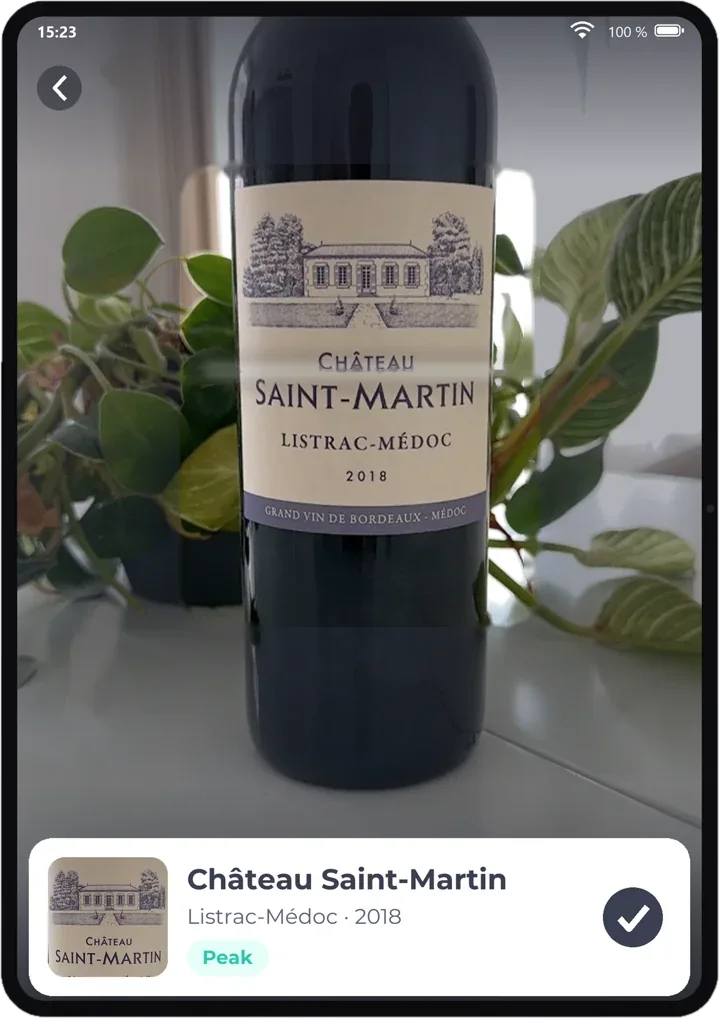
From the app, frame the bottle label.
-
2
Viniou recognises the wine
The wine has been found in the database, along with its information.
-
3
Add or taste
Add the bottle to your cellar, or simply record your tasting.
FAQs
Your questions, answered
Is label scanning free?
Yes. Adding wines and scanning labels are part of cellar management, free of charge and with no bottle limit.
Is an internet connection required to scan?
Yes, label recognition works on dedicated servers. A mobile connection is sufficient, even in a cellar.
How do I add a bottle to my cellar?
The quickest way: take a photo of the label, and Viniou will recognise the wine and complete the record. You can also search for the wine by name in the Viniou database, fill in the form yourself, or import an entire list at once from an Excel file.
I can't find my wine in the database. What should I do?
Add it manually: choose “Add my wine manually” and enter the name, appellation, vintage and colour. The wine is added to your cellar like the others, and you can add a photo of the label.
Can I add a wine I’ve made myself, a rare cuvée or an unlabelled wine?
Yes. Manual entry accepts any wine, even if it is not listed in any database. You can also specify its ageing stages yourself to know when to drink it.
Is Viniou free?
Yes. Creating your account and managing your wine cellar is free, for life. The optional Premium subscription automatically enhances your wines (market prices, ageing stages, oenological reviews, etc.) from £3.75 per month.
Features
Other features
An app for scanning wine labels
Many people look for an app to scan a wine: Viniou recognises the label, then adds the bottle to your cellar. This makes it a free wine app for both identifying a wine at a restaurant and managing your cellar at home.
Viniou can be used on iPhone, Android and computer via a browser: the same wine cellar everywhere, in a wine app on your phone and wine cellar management software on a larger screen. Wine cellar management is free, with no bottle limit. Discover all Viniou features.
Try the app
Free to manage your wine cellar, Premium to learn more